
Actual project capturesBlender → GLB → GodotMac · iPhone · iPad
- 01 / AuthorShape, surfaces and editable parts.
- 02 / IntegrateScene state, motion and interaction.
- 03 / ReviewCamera distance, controls and device checks.
Build for the camera that players use
Mars47's strategy camera has to make a growing coast understandable. That makes silhouette, scale and material contrast important parts of asset development, alongside close-up detail.
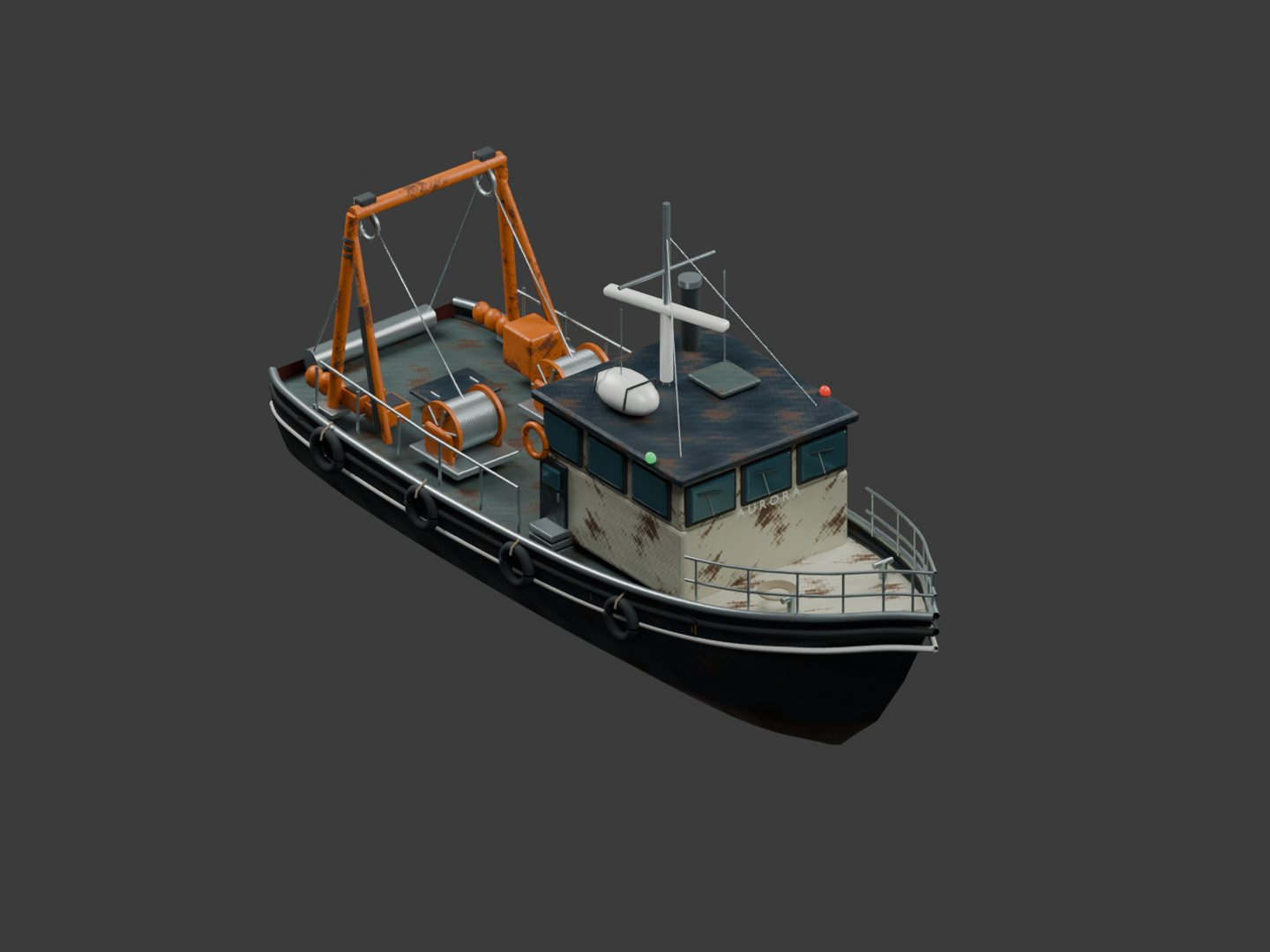
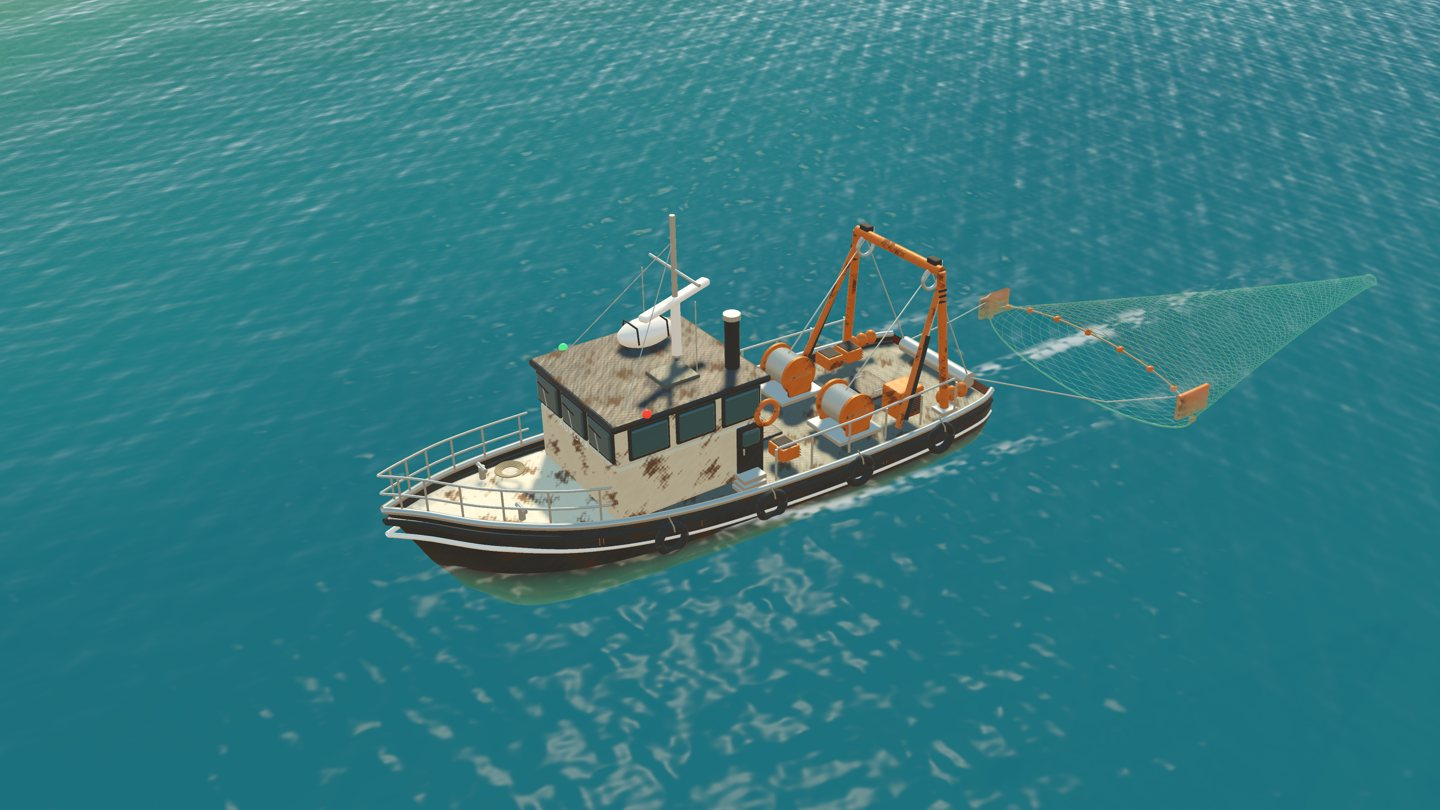
On the trawler, the hull, wheelhouse, mast and orange working equipment establish a recognizable shape. Rails, rigging and deck fittings add detail for closer views, but they share the scene with water, lighting and the surrounding coastline. A useful review asks how the asset reads at the distances where players actually encounter it.
The examples here come from our documented marine asset work. The original trawler, whale and net models were created for this project.
Keep the parts that need to move
An editable Blender source and an efficient game export serve different purposes. In the source, separate components make it easier to revise the hull, adjust a working mechanism or review a material. In the export, static pieces can be grouped where that preserves the intended result.
Moving components need a different treatment. Our trawler keeps independent radar and hauling animations so the radar can continue while the winch is stationary. Collapsing every component into one static mesh would lose that useful distinction.
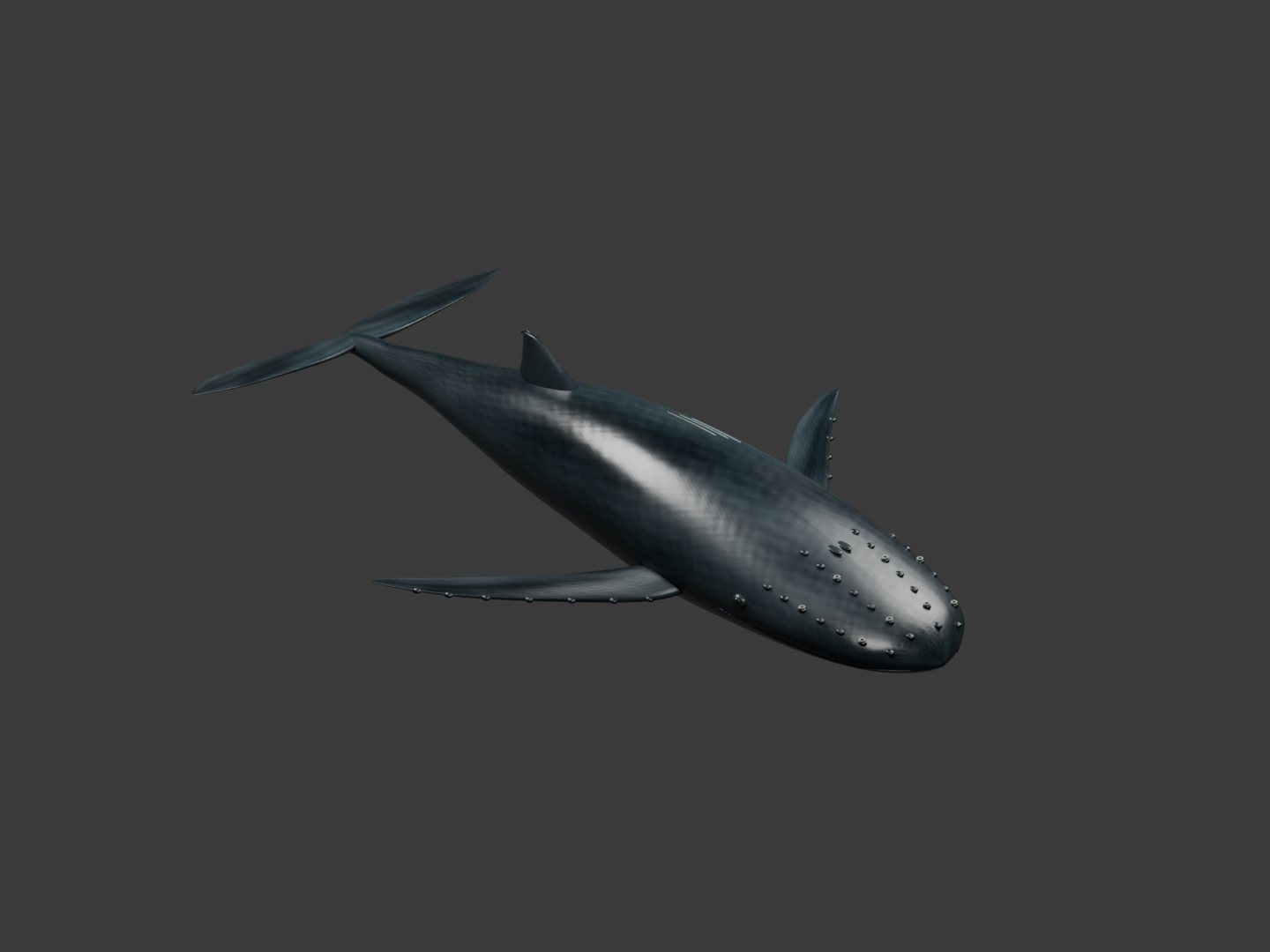
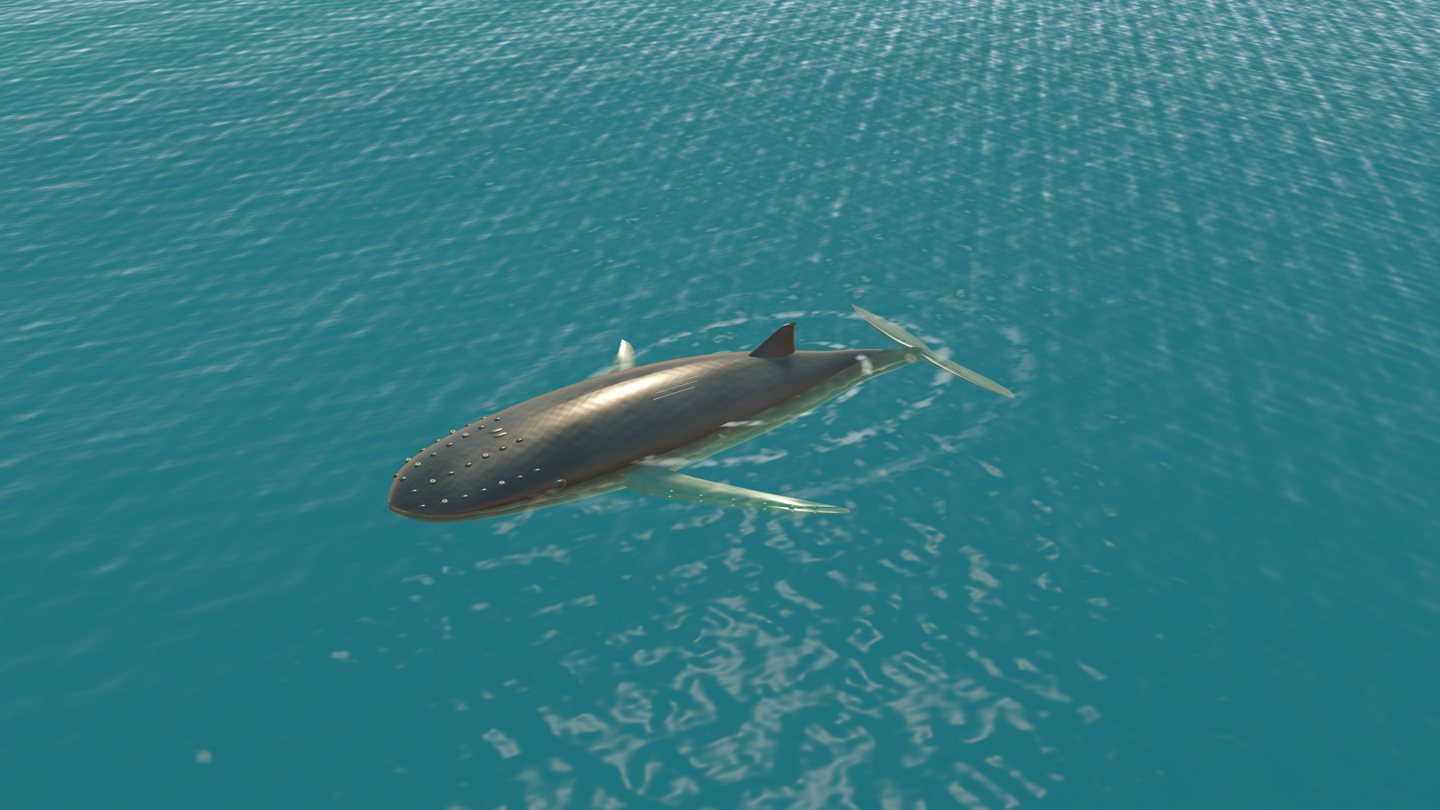
The whale uses another approach: a weighted skin and an eight-bone swim rig. Its authored swim loop supplies body motion, while the game controls when the encounter happens and how the animal joins the coastal scene. A rigged animal and a mechanical vessel therefore share an export pipeline without sharing one animation strategy.
Review materials in both tools
The Blender renders and Godot captures below show the same vessel under different lighting. A studio presentation makes the model easy to inspect. The game adds sunlight, ocean color, water interaction and its own viewing conditions.
Our marine assets use physically based material information such as base color, roughness and normal maps. The transfer still needs review. Node support and scene lighting can differ between tools, so we review the exported material in the target engine.
We check that the important surface information survives export, that textures resolve and that materials remain legible in the intended scene. We review the asset in the lighting and camera positions that players will see.
Use GLB as a clear handoff
For these assets, the game handoff is glTF 2.0 in binary GLB files, with the required textures embedded in the export. Godot then imports the model, materials and authored animation into resources the game can use.
A compact handoff checklist helps:
- Scale: check the asset's intended dimensions in meters and how it sits against other game objects.
- Orientation: confirm the forward direction and up axis after import.
- Motion: retain the skeleton, pivots and independent animation clips that need to survive.
- Surfaces: review normals, material slots and texture references in the target engine.
- Detail: inspect the asset at both strategy distance and closer camera positions.
Our marine source files use Blender's Z-up working convention, while the exported assets follow the Godot integration's Y-up convention. The project also checks bounds and placement where an imported asset joins the world.
Give the asset a role in the game
Importing the model is an intermediate step. The engine still needs to decide how the asset participates in the scene.
For the trawler, that includes ocean motion, encounter timing, routing and a game-driven net payout. For the whale, runtime behaviour supplies surfacing and sounding, breath timing and the timing of its return to the coast. These are examples of game logic extending an authored asset.
Keeping those responsibilities clear makes changes easier to assess. A material revision can be reviewed visually. An animation revision can be checked for its loop and independent controls. A routing change needs to be checked in the running coastal scene.
Compare the model with the running result
We retain model renders and in-engine captures because they answer different questions. The model view helps inspect the art asset. The running view shows what survives the journey into the game: lighting, scale, animation, water and camera distance.
For these marine assets, development checks covered the imported skin movement, the swim-loop seam and the separation of radar and hauling behaviour. We qualify device performance separately from visual and import reviews.
A practical next step for your own Blender-to-Godot experiment is to move one asset through this whole loop, make one small revision in Blender, and check that it returns to Godot with the intended scale, surfaces and motion.
Questions about Blender and Godot
Can Godot import a .blend file directly?
Yes. Godot's documented Blender integration calls Blender to convert the file through glTF, so Blender needs to be installed for that workflow. We use explicit GLB handoffs for the marine examples in this article.
Can a GLB contain animation?
Yes. Our marine exports include the whale's skinned swim clip and the trawler's independent mechanical clips. The exported rig and animation still need to be checked after import.
Is reducing triangles the only performance consideration?
No. Material batches, texture use, shadows, animation and the rest of the visible scene can also matter. Keep a visual reference and measure the result in its actual game context.
Can I play the game shown here?
Yes. Mars47 is available on Mac, iPhone and iPad. Use the download buttons on this page, read the Godot development case study, or explore the player handbook to see how the systems become player decisions.
References and project notes
The examples and images come from Mars47’s documented asset and integration work. The model renders and game captures are labeled separately; development snapshots may differ from a current store build.