
Actual project capturesBlender → GLB → GodotMac · iPhone · iPad
- 01 / AuthorShape, surfaces and editable parts.
- 02 / IntegrateScene state, motion and interaction.
- 03 / ReviewCamera distance, controls and device checks.
Start with a place that can become a system
Mars47 begins on an abandoned coast and grows into a space-program strategy game. Its visual world has to support the decisions behind that growth: where to build, which facility to upgrade and what a new research capability actually changes.
Godot's scene structure gives us a way to keep those responsibilities understandable. A facility can have a visible model, connection points and a stage of development, while the game separately evaluates whether the surrounding base can supply it. The interface then explains the result to the player. An attractive building and a functioning building are related tasks, and both need attention.
The images in this case study come from our project work captured in September and October 2026.
Reusable facilities, visible progress
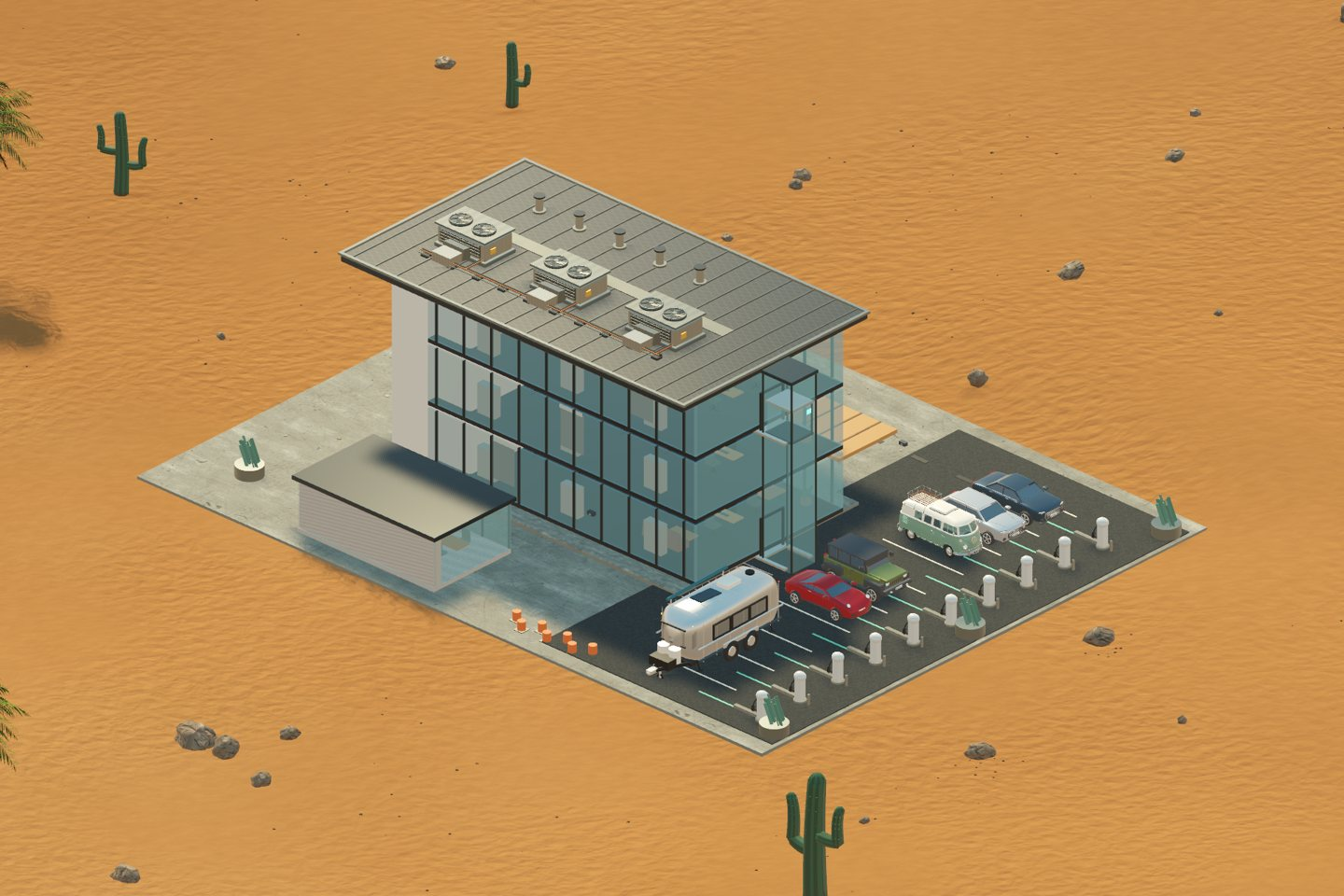
Several Mars47 facilities use Blender-authored GLB components. In the construction-lab and research-center workflow, a base component and later additions represent growth without requiring a completely separate building implementation for every level.
The Godot integration chooses the appropriate level, supplies the established material treatment and keeps the facility consistent with the surrounding world. That boundary matters: an exported mesh supplies shape and authored motion; the game supplies the building's purpose, state and place in the campaign.
Our facility integration also uses distance-based representations. Close views can show more authored detail, while a more distant representation carries the overall silhouette. We load the detail stage and cumulative distance representation needed by the placed facility instead of pulling every building level into memory when the catalog opens. We review the effect in the complete scene on the target platform.
One asset, several layers of behaviour
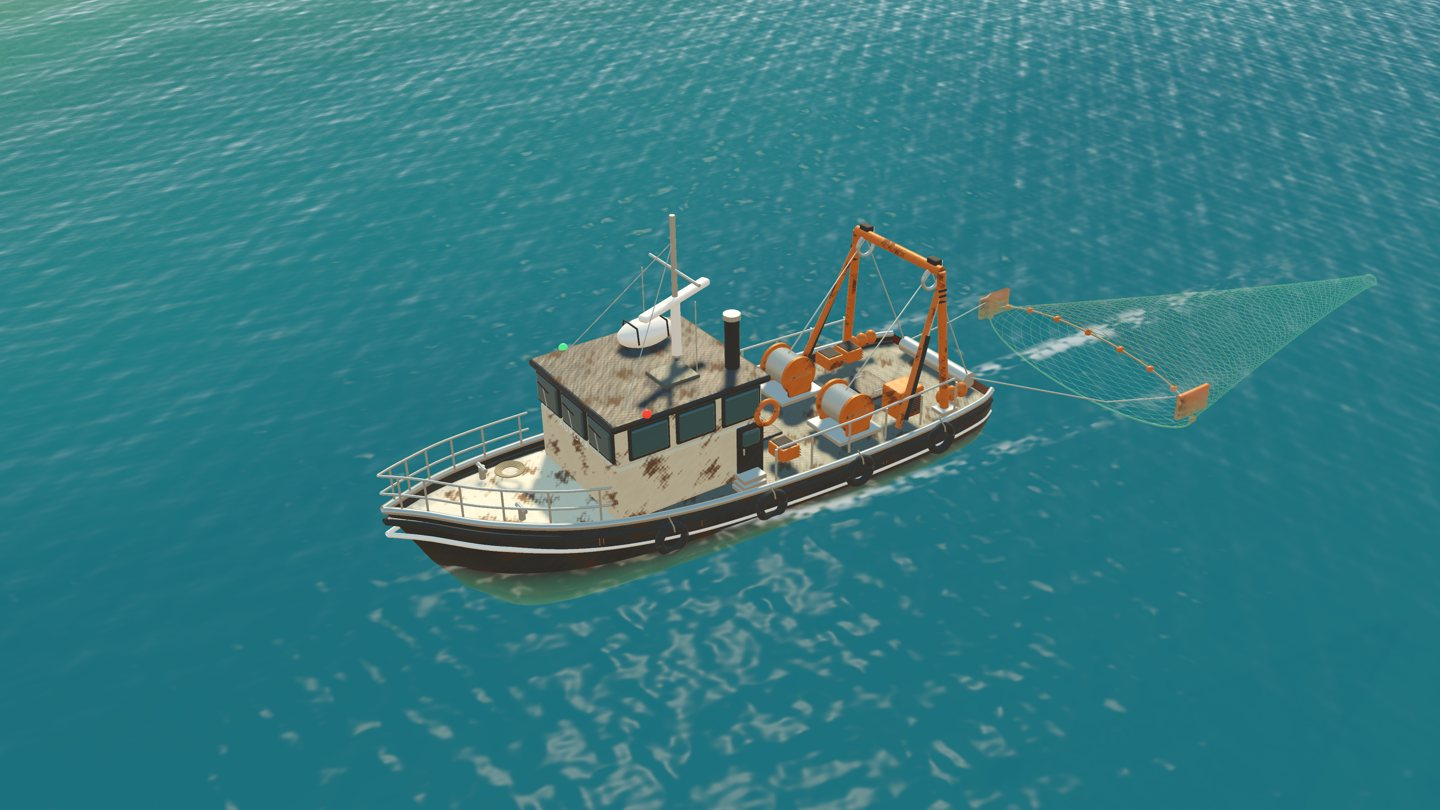
The fishing trawler provides a useful example of the boundary between an art tool and an engine. Its Blender asset contains the vessel, materials and independent mechanical animation. Godot integrates it into the ocean scene and supplies the behaviour that belongs to a running game.
In our marine workflow, the radar and hauling mechanism can move independently. Runtime code supplies buoyancy, the route through the coastal scene and the timing of the encounter. The deployed net uses a lightweight game-driven approximation.
That split lets us revise a hull or material without treating navigation, timing and world interactions as modeling problems. It also makes testing more specific: the shape, animation, water interaction and route can each be checked for the job they need to do.
Design the decisions for each screen
Mars47 is available on Mac, iPhone and iPad. A shared world does not remove the need to consider how a player reads and controls it on each device.
Building details, research requirements and campaign guidance need enough space to remain useful. Touch targets, longer translated labels, portrait layouts and the relationship between an open panel and the world behind it all affect whether a player can understand the next action.
Our practical approach is to review representative game states: an early base, a busier layout, an open building panel and a research decision. A screen that looks clear with one short label is only a starting point. It also needs to work when the player is comparing costs, prerequisites and consequences.
Measure the whole scene
For a strategy game, camera distance changes what the player sees and what the renderer needs to do. A distant base may show many objects at once; an inspection view may reveal materials and geometry that barely register in an overview.
Our development work therefore considers scene visibility, material batches, imported detail levels and how often systems refresh. A change to one mesh is only one part of the picture. The interface, shadows, animation and the number of active objects can also affect the result.
We keep visual comparisons and functional checks alongside performance work. A faster scene still needs to show the correct building state and preserve player interactions. Desktop results also do not establish phone or tablet performance; the target device remains an important part of qualification.
A small Godot project exercise
If you are exploring a similar workflow, start with one complete, modest scene before expanding the world:
- Create a small 3D scene with a floor, a camera and one imported facility.
- Give that facility two visible states, such as an initial structure and an upgraded component.
- Connect a simple interface action to the state change, and display what changed.
- Review the result at both overview and inspection distances.
- Try the interface at a smaller screen size and verify that the decision remains readable.
The exercise connects an asset, a game rule and an understandable player action.
Questions about the workflow
Is Mars47 made with Godot?
Yes. These examples come from the game's Godot project and its documented asset-integration work.
Does every object have to come from Blender?
No. Our project combines imported assets with game-authored geometry and runtime systems. The useful boundary depends on what needs to remain editable, animated or responsive to game state.
Where can I see the result as a player?
Explore the beginner tutorial for the opening game loop, or use the Mac and iPhone/iPad download buttons on this page. The companion Blender-to-Godot article follows an asset from the modeling workflow into the same coastal world.
References and project notes
The examples and images come from Mars47’s documented asset and integration work. The model renders and game captures are labeled separately; development snapshots may differ from a current store build.